

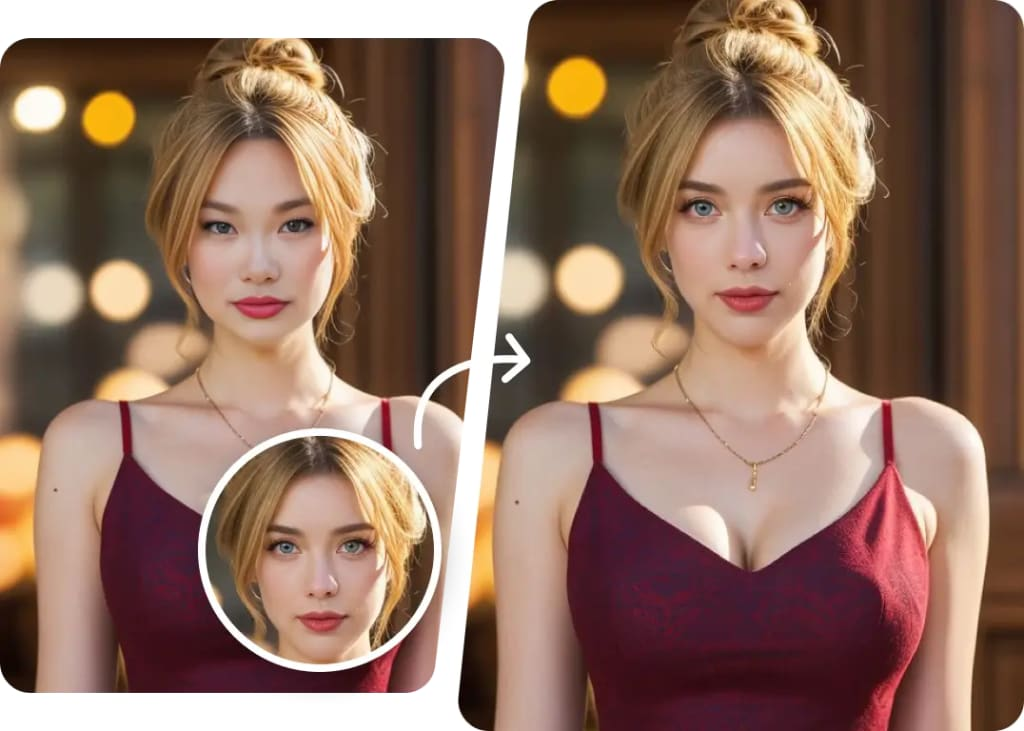
AI-powered face swap and lip sync tools have moved from novelty apps to serious production tools. Creators, marketers, filmmakers, and everyday users now rely on them to make talking avatars, localize videos into new languages, swap faces in memes and short films, and prototype content in minutes instead of hours. The catch is that the market is crowded, quality varies wildly, and pricing models can be confusing.
To make things easier, we tested and compared the most popular face swap and lip sync AI tools available in 2026, looking at output quality, speed, pricing transparency, and how well each platform actually holds up under real-world use. Below is our ranked list, starting with the tool that impressed us most.
At a Glance
| Tool | Best For | Free Plan | Starting Paid Price |
| Magic Hour | All-in-one face swap, lip sync & talking photos | Free (Yes) | Creator: $19/mo (or $12/mo billed annually) · Pro: $39/mo (or $25/mo billed annually) |
| HeyGen | AI avatar videos with lip sync | Limited free trial | ~$29/mo |
| Reface | Quick, fun face swaps on mobile | Limited free credits | ~$7.99/mo |
| DeepSwap | Face swap for photos and video | Limited free credits | ~$19.99/mo |
| Synthesia | Corporate/training avatar videos | Limited free trial | ~$29/mo |
| Wav2Lip (open source) | Developers who want raw lip sync models | Free (self-hosted) | Free, but requires technical setup |
1. Magic Hour — Best Overall
Magic Hour tops our list because it combines strong output quality with genuine flexibility. Rather than forcing users into a single narrow tool, it bundles best-in-class face swap AI and lip sync AI, along with talking-photo generation, into one workspace, alongside upscaling and full video generation. You can try it with no signup required, and unlike many competitors, credits never expire, so occasional users aren’t penalized for not logging in every week.
What sets Magic Hour apart operationally is the breadth of frontier AI models available in one place, click-to-create templates for common use cases, and one-click multi-step workflows that chain generation, upscaling, and video creation without manual exporting and re-uploading. It also supports fast variations and multiple takes so you can compare outputs before committing, parallel generations with no concurrency cap, and weekly feature releases that keep the tool current. The platform is optimized for both desktop and mobile, backed by founder-level support responses, and built to hold up reliably at scale during live activations or traffic spikes. Developers also benefit from full API parity across every tool on the platform.
Pricing:
- Free
- Creator: $19/month or $12/month billed annually
- Pro: $39/month or $25/month billed annually
Main features: Face swap, lip sync, talking photos, AI video generation, upscaling, multi-step automated workflows, generous free tier, API access.
Drawbacks: With so many tools and models bundled together, first-time users may need a few minutes to explore the interface before finding their ideal workflow.
2. HeyGen
HeyGen is well known for AI avatar videos, and its lip sync engine does a solid job matching mouth movements to translated or dubbed audio.
Pricing: Free trial with watermarked exports; paid plans start around $29/month.
Main features: AI avatars, multilingual dubbing, decent lip sync accuracy, business-oriented templates.
Drawbacks: Face swap capability is limited compared to dedicated tools, and higher-tier plans get expensive quickly for teams generating high volumes of content.
3. Reface
Reface built its reputation as a mobile-first face swap app, popular for quick, meme-style content.
Pricing: Free with limited daily swaps; subscription around $7.99/month for unlimited use.
Main features: Simple mobile interface, large library of templates, fast processing.
Drawbacks: Lip sync features are minimal to nonexistent, and output quality can look inconsistent on complex facial angles or lighting.
4. DeepSwap
DeepSwap focuses squarely on face swapping for both photos and video, with a straightforward upload-and-swap workflow.
Pricing: Limited free credits; paid plans start around $19.99/month.
Main features: Photo and video face swap, bulk processing options, browser-based editor.
Drawbacks: No meaningful lip sync functionality, and rendering times can lag during peak usage.
5. Synthesia
Synthesia is geared toward corporate training and marketing videos using AI presenters, with lip sync tied closely to its avatar system.
Pricing: Free trial available; paid plans start around $29/month, with enterprise pricing for larger teams.
Main features: Professional avatar library, multilingual voiceovers, script-to-video generation.
Drawbacks: Face swap isn’t a core feature, and the platform is priced and designed more for business use than casual creators.
6. Wav2Lip (Open Source)
Wav2Lip remains a favorite among developers who want to run lip sync models locally or integrate them into custom pipelines.
Pricing: Free, but requires self-hosting and technical setup.
Main features: Open-source lip sync model, customizable for developers, no subscription cost.
Drawbacks: No user interface, no face swap functionality, and results require technical tuning to look polished.
How We Chose These Tools
We evaluated each platform based on a consistent set of criteria: output quality across different lighting and angles, processing speed, how transparent and fair the pricing actually is, ease of use for both beginners and advanced users, and whether the tool offers real face swap and lip sync capability rather than just marketing language. We also considered practical factors like free-tier generosity, mobile support, customer support responsiveness, and whether the platform could reliably handle high demand without breaking down.
FAQs
Is Magic Hour free to use? Yes. Magic Hour offers a free plan that doesn’t require signup to start, and credits never expire.
Which tool is best for lip syncing dubbed video into another language? Magic Hour and HeyGen both handle multilingual lip sync well, though Magic Hour offers broader tooling around it, including upscaling and video generation in the same workflow.
Do these tools work on mobile? Magic Hour and Reface are both optimized for mobile use, while tools like Synthesia and HeyGen lean more toward desktop-based workflows.
Is Wav2Lip a good choice for non-developers? Not really. It’s a strong open-source model, but it requires technical setup and offers no built-in interface, making it better suited for developers than casual users.
Conclusion
Face swap and lip sync AI have matured into genuinely useful creative tools in 2026, but the right choice depends on what you need. For casual meme-making, Reface is fast and simple. For corporate avatar videos, Synthesia and HeyGen make sense. For developers wanting full control, Wav2Lip is free but demanding. For most creators, though, Magic Hour stands out as the most complete option, combining strong face swap and lip sync quality with generous free access, fast iteration, and workflows that scale from casual experiments to production-level output.
